728x90
2022.12.22 - [Vue.js] - 폼 입력과 데이터를 연결할 때 쓰는 v-model (Vue.js)
이벤트와 메소드를 연결 하는 방법입니다.
이벤트와 메소드를 연결할때는 v-on 을 사용합니다.
버튼을 클릭 했거나 키를 입력 했을때 사용합니다.
<태그명 v-on:이벤트="메소드명">
메소드를 만드는 방법
메소드(명령문)은 Vue 인스턴스에 methods 옵션을 추가해서 만듭니다.
tip)
v-on은 자주 사용되기 때문에, 생략하여 @로 표현할수 있습니다.
ex)
v-on:click
@click
위의 둘은 같습니다.
버튼을 누르면 1씩 증감하거나 초기화 시키는 코드를 작성 해보겠습니다.
  <h2>누르면 1씩 올라가지롱</h2>
  <div id="app">
    <p> {{ count }} </p>
    <button v-on:click="countUp">1씩 증가</button>
    <button v-on:click="countDown">1씩 감소</button>
    <button v-on:click="countReset">초기화</button>
  </div>

  <script>
    new Vue({
      el:"#app",
      data:{
        count:0
      },
      methods:{
        countUp: function() {
          this.count++;
        },
        countDown: function() {
          this.count--;
        },
        countReset: function(){
          this.count = 0;
        }
      }
    })
  </script>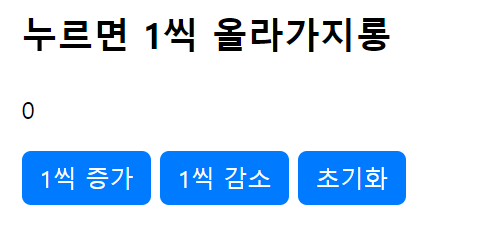
클릭하면 두번째는 클릭이 불가능한 버튼을 작성해보겠습니다.
  <h2>클릭하면 두번째는 누를 수 없게 되는 '좋아' 버튼 예제</h2>
  <div id="app">
    <button value="good" v-bind:disabled="isClick" v-on:click="oneClick">좋아~</button>
  </div>

  <script>
    function good(){
      alert("좋아~");
    }
    new Vue({
      el:'#app',
      data:{
        isClick:false
      },
      methods:{
        oneClick:function(){
          this.isClick = true;
          good();
        }
      }
    })
  </script>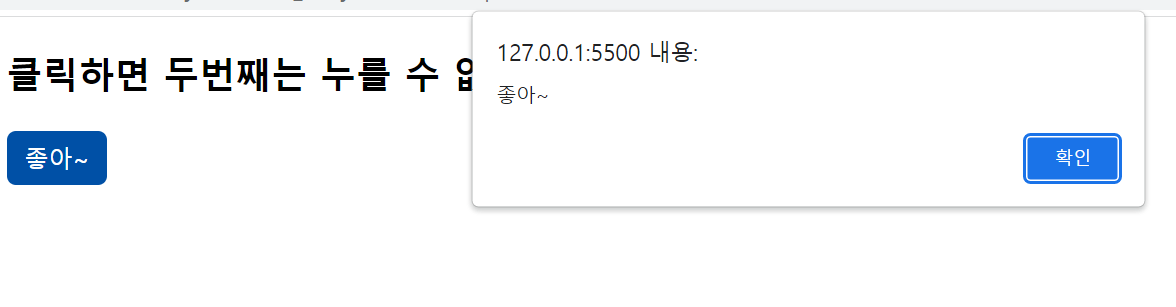
클릭하면 지정 된 값만큼 증가시키는 버튼을 만들어봐용
  <h2>클릭하면 지정된 값만큼 증가 시키는 예제</h2>
  <div id="app">
    <p> {{ count }} </p>
    <button v-on:click="countUp(3)">3증가</button>
    <button v-on:click="countUp(10)">10증가</button>
    <button v-on:click="countUp(100)">100증가</button>
  </div>

  <script>
    new Vue({
      el:"#app",
      data:{
        count:0
      },
      methods: {
        countUp:function(value) {
          this.count += value;
        }
      }
    })
  </script>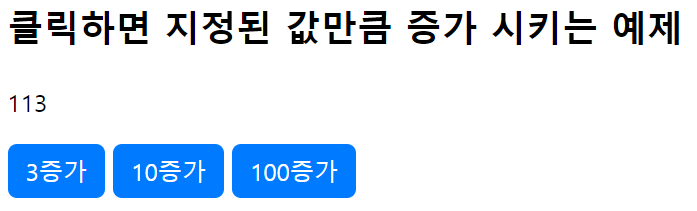
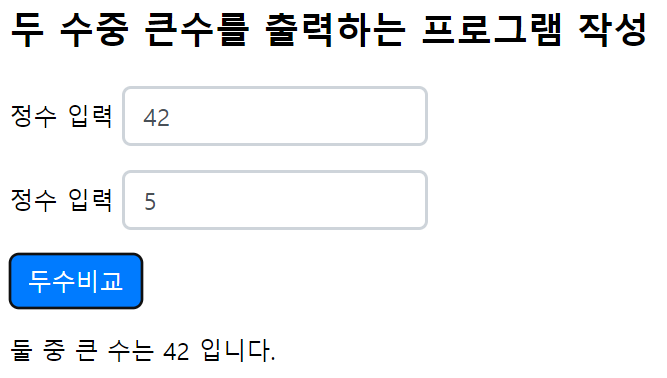
제시된 두 값중 큰값을 반환하는 코드를 짜보세용
<body>
  <h2>두 수중 큰수를 출력하는 프로그램 작성</h2>
  <div id="app">
    <p>정수 입력 <input type="number" v-model.number = "myNumber1" placeholder="첫 번째 수"></p>
    <p>정수 입력 <input type="number" v-model.number = "myNumber2" placeholder="두 번쨰 수"></p>
    <button v-on:click="result">두수비교</button>

    <p> 둘 중 큰 수는 {{myNumber}} 입니다.</p>
  </div>

  <script>
    new Vue({
      el:"#app",
      data:{
        myNumber:'',
        myNumber1:'',
        myNumber2:''
      },
      methods:{
        result:function(){
          if(this.myNumber1!=this.myNumber2)
           if(this.myNumber1>this.myNumber2){
             this.myNumber=this.myNumber1;
            } else{
             this.myNumber=this.myNumber2;
            }
          else{
            this.myNumber=" 없고, '두수는 같다'";
          }
        }
      }
    })
간단한 계산기를 만들어 봅시다!
<!DOCTYPE html>
<html lang="ko">
<head>
  <meta charset="UTF-8">
  <meta http-equiv="X-UA-Compatible" content="IE=edge">
  <meta name="viewport" content="width=device-width, initial-scale=1.0">
  <title>Document</title>
  <link rel="stylesheet" href="style.css">
  <script src="https://cdn.jsdelivr.net/npm/vue/dist/vue.js"></script>
</head>
<body>
  <h1>간단한 계산기</h1>
  <div id="app">
    <input type="number" v-model.number="n1" placeholder="첫번째 수" autofocus>
    <input type="number" v-model.number="n2" placeholder="두번째 수"><br><br>
    <button v-on:click="sumN">덧셈계산</button>
    <button v-on:click="subN">뺄셈계산</button>
    <button v-on:click="multiN">곱셈계산</button>
    <button v-on:click="divN">나눗셈계산</button>
    <p>결과는 {{ num }} 입니다.</p>
  </div>

  <script>
    new Vue({
      el:"#app",
      data:{
        n1:'',
        n2:'',
        num:'',
      },
      methods:{
        sumN: function(){
          this.num = this.n1 + this.n2;
        },
        subN: function(){
          this.num = this.n1 - this.n2;
        },
        multiN: function(){
          this.num = this.n1 * this.n2;
        },
        divN: function(){
          this.num = this.n1 / this.n2;
        }
      }
    })
  </script>
</body>
</html>
728x90
'Vue.js' 카테고리의 다른 글
| 뷰 에서의 조건문, 반복문 (Vue.js) (0) | 2022.12.23 |
|---|---|
| 키 입력을 Vue인스턴스의 메소드에 연결하기(Vue.js) (0) | 2022.12.22 |
| 폼 입력과 데이터를 연결할 때 쓰는 v-model (Vue.js) (0) | 2022.12.22 |
| v-bind를 이용한 클래스 지정(Vue.js) (0) | 2022.12.22 |
| 요소의 속성을 데이터로 지정하는 v-bind( Vue.js) (0) | 2022.12.21 |